Productivity Boost: Stop Context Switching with One Hub
"Stop juggling ten different browser tabs just to find a single project deadline."
If your workday feels like a constant game of digital whack-a-mole—jumping from a chat app to a task manager, then to a document editor, and finally to a calendar—you aren't working; you're just managing chaos.
An all-in-one platform aims to end that cycle by consolidating your entire operational brain into a single digital headquarters.
* Centralization is the Goal: Move beyond simple checklists to a hub that houses documents, communication, and execution. * Customization over Default: True efficiency comes from configuring the tool to fit your specific business logic, not forcing your team into rigid, out-of-the-box settings. * Phased Migration is Mandatory: Successful adoption requires a gradual rollout, moving from task tracking to document collaboration, and finally to advanced automation.

Why the "One Tool to Rule Them All" approach is necessary now
I remember sitting in a small agency office in downtown Chicago last Tuesday, looking at a project manager who had thirty-two browser tabs open. She was toggashing between a chat app, a spreadsheet, a project board, and three different document editors just to answer a single client question.
That is the "context switching tax," and it is killing your productivity.
An all-in-one platform, such as ClickUp, is designed to eliminate this tax by housing different types of work under one roof. In the old days, we used "siloed" tools—you might use Trello for tasks, Slack for chat, and Google Drive for files.
While these work, the data often gets lost in the gaps between them. A modern workspace integrates these functions so that the chat happens *on* the task, and the document lives *inside* the project.
However, there is a massive pitfall: "Shiny Object Syndrome." Many teams buy a powerful platform and immediately try to move every single piece of data into it on day one. This usually leads to a complete system collapse. Before you buy, you must identify your specific bottlenecks.
Ask yourself: "Where does information currently go to die?" If the answer is "in an email thread no one can find," you need a centralized workspace.
But there is a catch to all this centralization.
Real-world scenarios: How this looks in practice
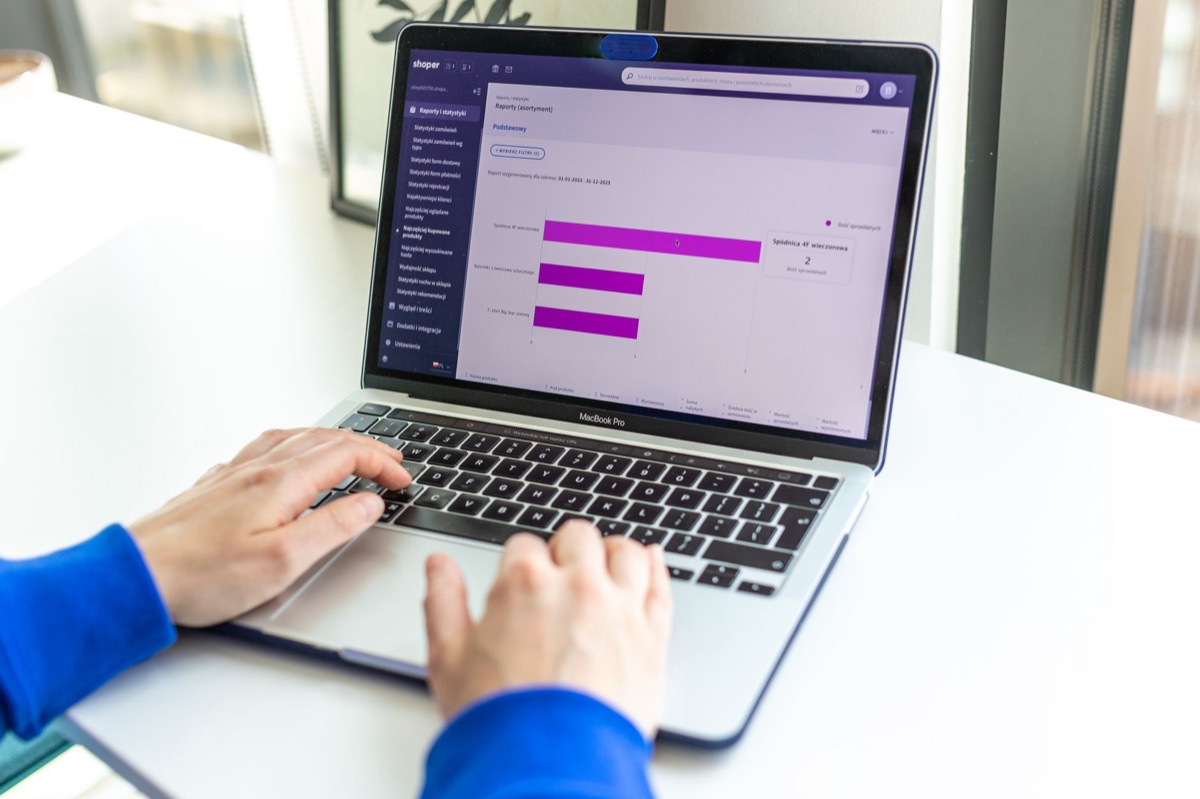
Imagine a Tuesday morning at 10:00 AM. A marketing lead opens their dashboard. Instead of looking for a status update, they see a high-level roadmap where every task is linked to a specific campaign goal. This isn't just a to-do list; it is a living map of the business.
There are three primary ways these platforms transform different business models:
1. The Project Management Overhaul In a traditional setup, a sales pipeline might live in a CRM, while the actual work happens in a separate task manager.
In an all-in-one workspace, you can visualize a sales lead moving through stages using a Kanban board, which then automatically triggers the creation of a project folder once the deal is closed. This bridges the gap between "selling" and "doing."
2. Managing Distributed Teams For teams spread across different time zones, constant status meetings are a productivity killer. An all-in-one platform acts as an asynchronous headquarters.
Because the documentation, the chat, and the task status are all in one place, a team member in London can wake up, check a task, read the attached brief, and see the history of comments without ever needing to jump on a Zoom call to ask, "What's the status?"
3. Scaling from Freelance to Agency A solo freelancer might only need a simple list. But as they grow into an agency, they need to manage client onboarding, time tracking, and scope of work transparency.
A unified platform allows you to create "Client Spaces" where you can invite external users to see only specific tasks, keeping your internal chaos separate from your professional client-facing work.
For example, consider a 3-stage content approval process.
Instead of emailing files back and forth, the writer uploads a draft to a task, the editor leaves comments directly on the document within the platform, and the manager clicks a "Approved" status, which automatically notifies the social media scheduler.
But how do you actually implement this without causing a revolt?
How to build your workspace without breaking your team
Setting up a massive platform is like building a house; if you don't lay a solid foundation, the walls will crack. You don't just "turn it on" and expect magic. You need a phased implementation strategy.
Phase 1: The Foundation (Structural Setup) Before inviting your team, define your hierarchy. Most platforms use a structure like: Workspace → Space → Folder → List → Task.
* Rule of Thumb: Establish naming conventions immediately. If one person names a folder "Project X" and another names it "X_Project_2026," your search function will become useless within a month. * The Goal: Create a clear hierarchy where every piece of work has a logical "home."
Phase 2: The Migration (Controlled Adoption) Do not move your entire company's history into a new tool overnight. Start with one small, high-visibility project. If you are an agency, move one client over first. If you are an internal team, move one specific department.
This allows you to work out the kinks in your hierarchy and naming conventions before the stakes get too high.
Phase 3: Optimization (The Power-Up) Once the team is comfortable, introduce advanced features. This includes custom fields (like "Priority Level" or "Budget Spent"), automations, and specialized views like Gantt charts.
A perfect workflow sequence might look like this:
- Trigger: A new task is created via a form.
- Assignment: The task is automatically assigned to a team member based on the category.
- Context: A standardized template is applied, including a linked document for instructions.
- Progress: As the user changes the status to "In Review," an automated notification is sent to the manager.
- Completion: Once marked "Done," the task is archived, and a weekly summary report is updated.
When I first tried this with a client in early 2025, we ignored step one and went straight to step five. The result was a digital mess that took three weeks to fix.
The real trouble starts when the honeymoon phase ends.
The honest truth: Strengths, weaknesses, and hidden costs
I have spent years testing these platforms, and I will tell you plainly: they are not perfect. While they promise to solve everything, they also introduce new challenges.
The Strengths The primary advantage is the elimination of "tool sprawl." When your chat, files, and tasks live together, you gain a single source of truth. You don't have to wonder if the "final" version of a document is in an email or in the project folder—it is right there in the task.
This integration makes cross-departmental collaboration much smoother because everyone is looking at the same data.
The Weaknesses The biggest downside is the steep learning curve. These platforms are often "feature-heavy," meaning they can feel overwhelming to a new user. If not managed carefully, you can end up with "feature bloat," where the tool becomes so complex that people stop using it entirely.
There is also the risk of data clutter; if you don't maintain your hierarchy, the platform will quickly become a digital landfill.
The Cost Factor Pricing is usually tiered. Most platforms offer a free version for individuals, but as soon as you need automations, advanced reporting, or more than a few users, you will move into much higher monthly costs.
| Feature Level | Typical Use Case | Complexity |
|---|---|---|
| Free/Basic | Solo freelancers, simple checklists | Low |
| Standard/Pro | Small teams, project management, basic automations | Medium |
| Business/Enterprise | Large agencies, complex workflows, advanced security | High |
*Note: Pricing varies wildly by provider. Always check the specific monthly per-user cost before committing to an annual contract.*
But even with the perfect setup, questions will remain.






Comments 0