72% Stress: How Poor Processes Strain Modern Teams
"The difference between a task manager and a workflow orchestrator is the ability to manage process flow, not just to-dos."
Modern project management has shifted from simple digital checklists to complex engines that drive entire business lifecycles. This evolution mirrors how businesses have grown from small, linear teams to massive, cross-departmental organizations.
* Modern PM tools are no longer just task trackers; they are integrated workflow engines requiring strategic implementation. * Successful adoption requires moving beyond basic task assignment to establishing interconnected processes, such as design, review, approval, and delivery. * The key to success is matching a tool's complexity to your business maturity, rather than forcing a high-end tool into a low-complexity environment.

The Paradigm Shift: Why PM Tools Evolved
In the dim light of a late afternoon office, I tapped a pen against a desk while staring at a static list that felt increasingly hollow.
I remember sitting in a small agency office in 2015, staring at a screen filled with a digital list that looked exactly like a paper notepad. We were just checking boxes, moving a task from "To Do" to "Done," and calling it a day.
That was the era of early task management, where the primary goal was simply capturing work before it was forgotten.
As businesses grew, these simple lists became insufficient. A task might be "done," but if the next person in the chain didn't know it was ready for them, the project stalled. This is why we moved from simple task capture to sophisticated workflow orchestration.
In the early days, tools focused on the individual; today, tools like Workfront focus on the entire organization's lifecycle.
The shift is driven by a fundamental reality of the modern workplace. According to a report from Workfront, 72 percent of industry professionals reported that office tension acts as a significant contributor to stress levels, often because workers feel overloaded and understaffed.
When processes are manual or fragmented, that tension rises.
The gap between a basic task manager and a true workflow orchestrator is the ability to manage dependencies. If a marketing campaign requires design, legal, and media buying, a simple checklist won't tell you if the legal review is delaying the media buy.
A workflow engine, however, automates those hand-offs, ensuring that work moves seamlessly from one department to the next without constant manual intervention.
But how do you know which tool actually fits your specific situation?
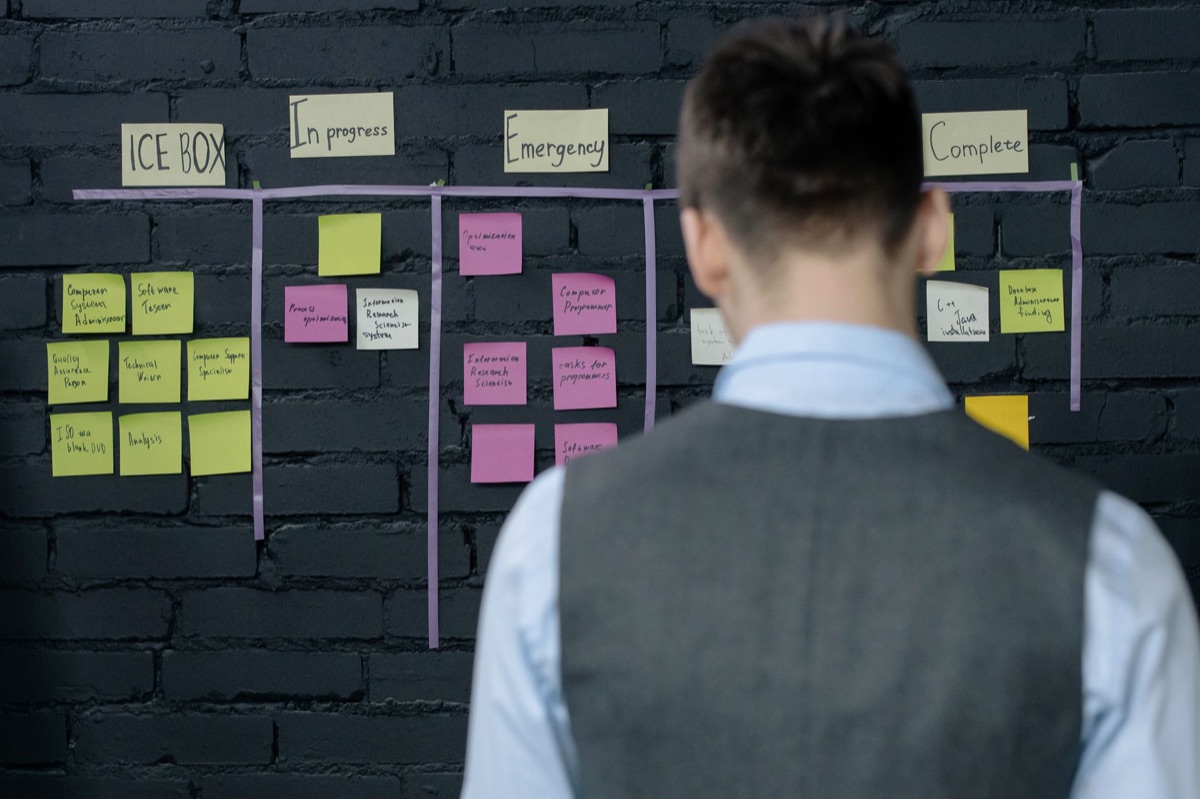
Which tool should I use for my specific needs? At dawn, a manager gripped a cold coffee mug while squinting at a glowing dashboard filled with urgent alerts.
A manager walks into a quiet office at 8:00 AM on a Tuesday, opens a dashboard, and sees a sea of red notifications. The sheer volume of data makes it impossible to tell which project is actually failing and which is just noisy. This is the classic symptom of a tool mismatch.
Choosing the right tool depends entirely on your operational scale. If you are running a small startup or a boutique agency, an "AtTask-style" mindset—focusing on clear, centralized task lists—is often sufficient.
You need a single source of truth to ensure everyone knows their immediate responsibilities.
As operations scale, you enter a middle ground where you need to manage resource allocation. It is no longer enough to know *what* needs to be done; you need to know *who* has the capacity to do it. This is where dependency management becomes critical.
For enterprise-level organizations, the requirements shift again toward deep integration. High-volume environments require tools that can connect with finance, CRM, and complex approval gates. In these settings, managing inter-departmental conflict is a constant challenge.
A study by Workfront found that 81 percent of those surveyed experienced workplace conflict with other departments, groups, teams, or co-workers, which resulted in a loss of productivity.
| Business Scale | Primary Need | Typical Tool Profile |
|---|---|---|
| Small/Startup | Task Visibility | Simple, intuitive, list-based |
| Mid-Market | Resource Management | Dependency-focused, capacity planning |
| Enterprise | Process Orchestration | Cross-departmental, high-level automation |
The danger lies in over-tooling. If you implement an enterprise-grade orchestration engine for a three-person team, you will drown in complexity overhead. You will spend more time managing the tool than doing the actual work.
But what happens when you actually pull the trigger and start the implementation?
How do I implement a workflow that scales? An empty digital workspace sits on a monitor, white and clinical. No tasks are assigned, no deadlines are set, and no one knows where to begin. This is the "blank canvas" problem that occurs when a tool is implemented without a blueprint.
To avoid this, you must follow a three-phase implementation strategy.
Phase 1: Define the Process (The Blueprint) Before you ever log into a new software, you must map your ideal end-to-end workflow on paper or a whiteboard.
For example, a content creation workflow might look like this: *Client Brief → Content Drafting → Internal Review → Stakeholder Approval → Final Publication.* If you don't define these stages first, the software will just become a digital version of your existing chaos.
Phase 2: Tool Configuration (The Build) Once the blueprint is clear, you configure the tool to enforce that blueprint.
This involves setting up custom fields (like "Priority" or "Budget Code"), automated approval routing (where a task automatically moves to a manager once a draft is submitted), and triggers.
Phase 3: Adoption & Iteration (The Run) The final phase is training. You shouldn't just teach employees which buttons to click; you must teach them *why* they are performing a specific step in the sequence.
The reality is that many projects fail because of a lack of structure. A Workfront study noted that 36 percent of professionals reported that a lack of process prevents them from completing their responsibilities.
Without a defined workflow, "work" becomes a series of endless, disorganized interruptions.
The problem is that even with a perfect plan, the human element can still derail everything.
The Human Element: Overcoming Adoption Hurdles
A team lead stands in a meeting, looking at a dashboard that shows 100% task completion, yet the actual project is three weeks behind schedule. Everyone is working, but nothing is moving forward. This is the result of prioritizing "activity" over "progress."
When introducing new tools, two major pitfalls often emerge. The first is the "Oversight Trap." While structure is necessary, excessive monitoring can feel like micromanagement. If a tool is used solely to watch over employees' shoulders, adoption will fail as people find ways to bypass it.
The second pitfall is the "Communication Drain." Many workers find themselves trapped in a cycle of endless digital noise. Research shows that email and meetings often prevent workers from getting actual work done, with only 40% of the average workday being spent on primary tasks.
If your project management tool just creates more notifications and more "status update" meetings, it is failing its primary purpose.
To overcome these hurdles, the tool must be positioned as a way to *remove* friction, not add to it. It should be a way to clear the path, not a hurdle to jump over.
But how do you actually get started without breaking your current operations?

How to Implement a New Workflow: A Step-by-Step Checklist
When I first transitioned a client from simple lists to a full orchestration engine in 2023, the chaos was overwhelming. We had to move methodically to ensure the business didn't stop while we were building the engine.
If you are facing a similar transition, follow this sequence to ensure a smooth rollout:
- Audit Current Friction Points: Spend one week documenting every time a project stalls due to a "handoff" issue. Identify exactly where information gets lost between teams.
- Map the "Happy Path": Draw the perfect, uninterrupted flow of a single project from start to finish. This is your baseline.
- Identify Tool Requirements: Match the specific needs of your "happy path" to tool features. If you need automated approvals, ensure the tool supports conditional routing.
- Build a Pilot Project: Select one small, cross-functional project to run through the new system. Do not attempt a company-wide rollout on day one.
- Gather and Adjust: After the pilot concludes, interview the participants. Adjust the tool settings and the process based on their real-world friction.
- Launch and Train: Roll out to the wider team using the lessons learned from the pilot.
By following this order, you minimize the risk of the "blank canvas" problem and ensure the tool serves the people, rather than the other way around.







Comments 0